
Many car audio systems sound loud and detailed, yet something still feels off. Vocals drift toward one side, instruments seem scattered, and the music never quite locks into place. This issue is not always caused by missing tweeters or low-quality speakers. In most cases, it comes down to poor imaging.
The good news is that you can improve car audio imaging without adding tweeters or replacing hardware. With the right tuning approach, careful adjustments, and an understanding of how sound behaves inside a vehicle, your existing system can deliver a focused and stable sound image. This guide explains exactly how to do that using practical, proven techniques.
What Audio Imaging Means in a Car Environment
Before making changes, it helps to understand what imaging actually means. Imaging refers to how accurately your audio system places sounds across the listening space. When imaging is good, vocals appear centered, guitars sit to the left or right, and instruments feel locked into position.
Imaging vs Soundstage
Imaging and soundstage often get mixed up. Imaging is about precision. It answers the question of where a sound is coming from. Soundstage is about size. It describes how wide and deep the music feels. Strong imaging usually improves soundstage because clear placement makes the entire presentation feel more realistic.
Why Cars Struggle With Imaging
Cars present a difficult environment for stereo sound. The driver sits much closer to one speaker than the other. Surfaces reflect sound unevenly. Seats, dashboards, and door panels all affect how sound reaches your ears. These factors cause timing and level differences that blur imaging if left uncorrected.
Why Tweeters Are Not the Only Solution
Many people assume that adding tweeters is the only way to fix imaging. While tweeters can help extend high frequencies, they do not solve the core issues that cause poor imaging.
Common Myths About Tweeters and Imaging
Tweeters do not fix timing problems. If sound from one side reaches your ear earlier than the other, adding more speakers only increases complexity. In some cases, extra tweeters introduce phase problems that make imaging worse instead of better.
When Existing Speakers Are Fully Capable
Most factory and aftermarket midrange speakers are capable of good imaging. The problem is not the speaker itself. It is how the speaker interacts with the cabin and how the signal is processed. Proper tuning often delivers greater improvement than adding new drivers.
Speaker Distance and Arrival Time Matter Most
The biggest factor affecting imaging is arrival time. Sound from the left and right speakers must reach your ears at the same moment for a stable image.
How Path Length Differences Affect Imaging
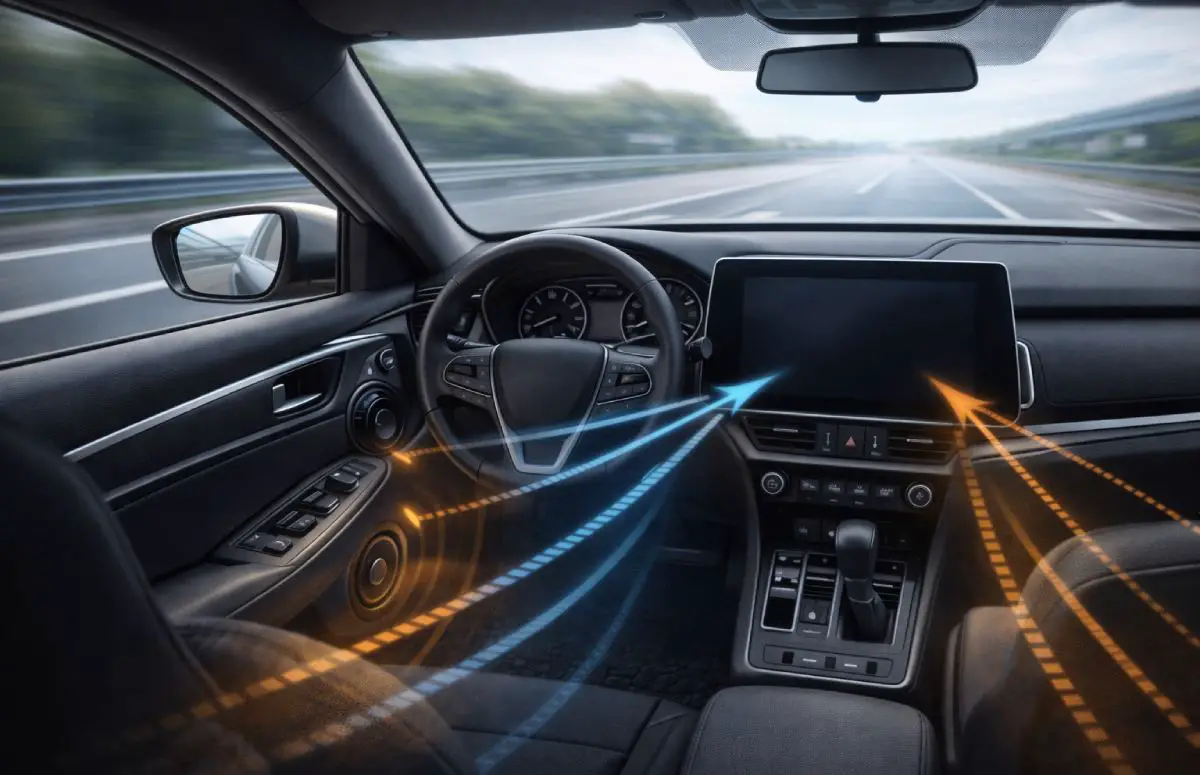
If the left speaker is closer to your ear than the right one, its sound arrives sooner. Your brain interprets this as direction. Vocals pull toward the closer speaker, and the center image collapses. This happens even if both speakers play at the same volume.
Measuring Speaker Distance Correctly
Measure the distance from each speaker to your listening position. Use a tape measure and aim for accuracy. Small differences matter. These measurements provide the foundation for timing corrections later.
Real-World Example of Timing Correction
If your left door speaker sits two feet closer than the right one, delaying the left channel slightly can center the vocals. This single change often produces a dramatic improvement in imaging.
Using Time Alignment to Improve Imaging
Time alignment is one of the most powerful tools for improving imaging without adding tweeters.
What Time Alignment Actually Does
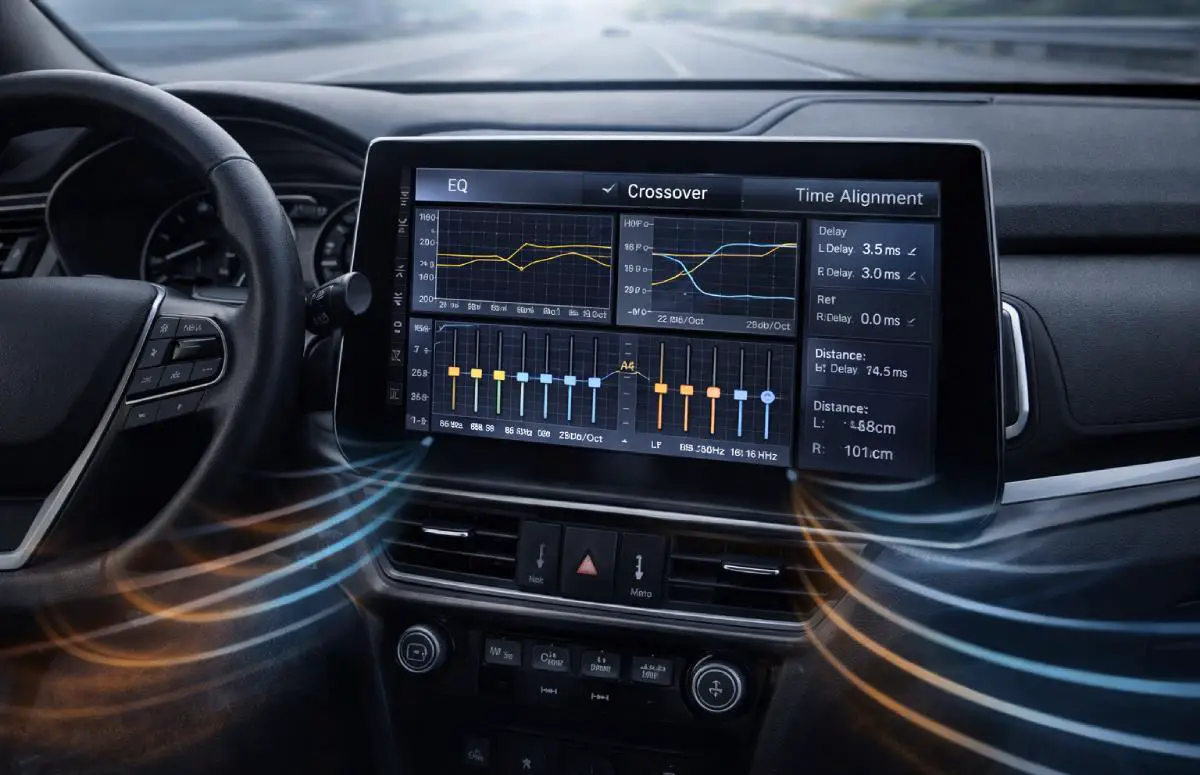
Time alignment delays sound from speakers that are closer to you. This allows sound from all speakers to arrive at your ears at the same time. When timing is corrected, the soundstage stabilizes and imaging improves instantly.
Time Alignment Without a Dedicated DSP
Many modern head units include basic delay or driver-focus features. These settings allow you to enter speaker distances or apply preset delays. While not as precise as a full DSP, they still offer meaningful gains.
Time Alignment Using a DSP
A digital signal processor provides per-channel delay control. This allows fine tuning for each speaker. DSP units also let you adjust levels and EQ together, which leads to cleaner imaging.
Common Time Alignment Mistakes
Over-delaying speakers can make the system sound dull. Ignoring level matching can pull the image off center. Always trust your ears and make small adjustments.
Equalization Techniques That Improve Imaging
Equalization affects how your brain locates sound. Poor EQ settings can undo all timing improvements.
Why Flat Frequency Response Matters
If one side sounds brighter or louder in certain frequencies, the image shifts. Balanced frequency response between left and right channels helps maintain stable placement.
EQ Adjustments That Help Imaging
Start with a flat EQ. Make small cuts instead of large boosts. Focus on reducing harshness rather than increasing excitement. This approach preserves localization cues.
Why Smiley-Face EQ Hurts Imaging
Boosting bass and treble while cutting mids exaggerates extremes. This masks subtle details that help your ears locate sounds. Imaging becomes vague and unstable.
Crossover Settings and Imaging Precision
Crossovers determine which frequencies each speaker handles. Improper crossover settings blur imaging.
How Incorrect Crossovers Damage Imaging
Frequency overlap causes multiple speakers to reproduce the same sounds. This creates interference and confuses localization. Speakers also strain outside their ideal range.
Practical Crossover Settings for Better Focus
Most door speakers perform well when crossed over around 80 to 100 Hz. Subwoofers should blend smoothly in the same region. Matching crossover slopes left and right maintains balance.
Balance, Fader, and Level Matching
Small level differences have a big impact on imaging.
Why Level Differences Matter
The louder speaker dominates perception. Even a slight imbalance pulls the image toward one side.
Driver-Focused Balance Setup
A slight balance shift toward the driver often improves center imaging. This compensates for seating position without harming overall sound quality.
Improving Imaging Through Speaker Placement Adjustments
Physical adjustments can help imaging without adding tweeters.
Aiming and Angling Existing Speakers
Angling speakers toward the listening position improves direct sound. This reduces reflections that smear imaging.
Reducing Reflections and Obstructions
Door panels, seats, and trim can block or reflect sound. Simple adjustments and careful mounting improve clarity and focus.
DSP Features That Enhance Imaging
DSP tools provide control that basic systems cannot match.
Channel Delay and Level Control
Independent control over each channel allows precise tuning. This precision improves imaging across different listening positions.
Crosstalk Reduction and Advanced Processing
Reducing left-right interference improves separation. The result is cleaner imaging and a more realistic presentation.
Can Factory Audio Systems Improve Imaging?
Factory systems often lack advanced tuning features, yet improvement is still possible.
Factory System Limitations
Fixed EQ curves and limited delay options restrict tuning flexibility.
What Can Still Be Improved
Balance, basic EQ, and source quality adjustments can noticeably improve imaging even in stock systems.
Common Mistakes That Ruin Imaging
- Overusing bass or treble boosts
- Ignoring left and right level matching
- Chasing volume instead of clarity
- Adding hardware before tuning
Quick Checklist to Improve Imaging Without Tweeters
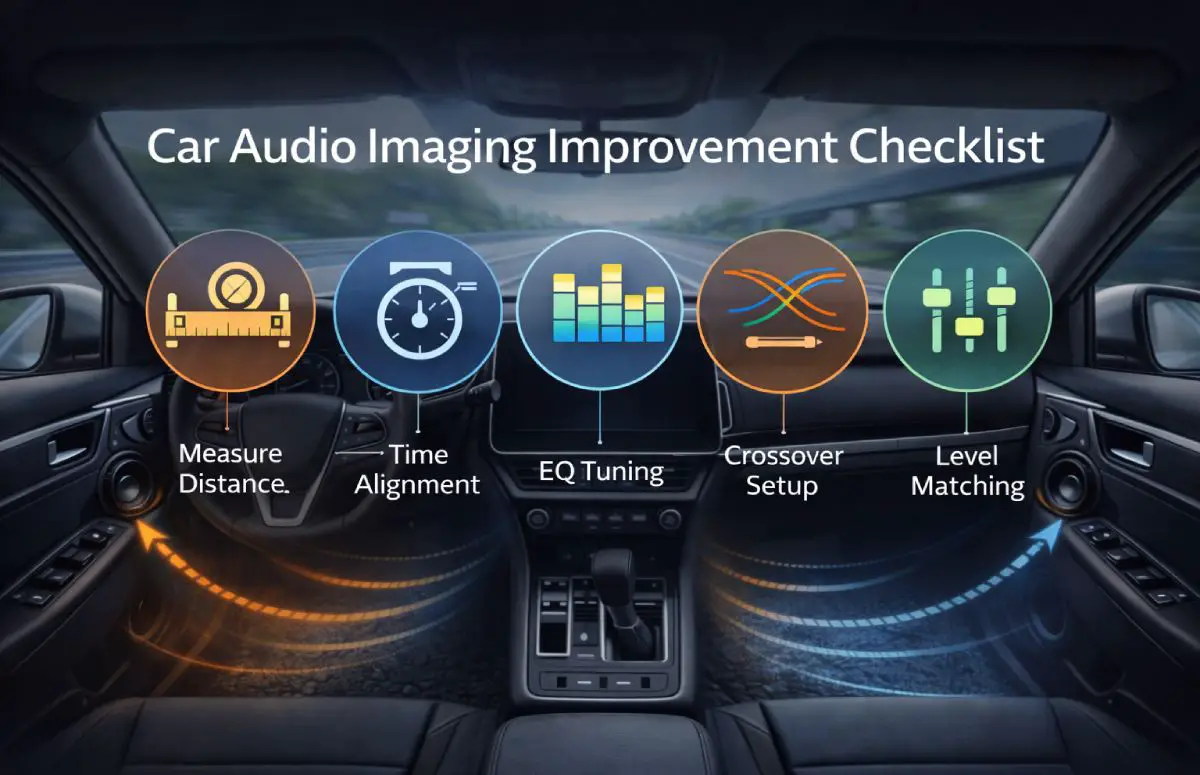
- Measure speaker distances accurately
- Apply time alignment carefully
- Start with a flat EQ
- Set proper crossover points
- Match speaker levels
Frequently Asked Questions
Can imaging really improve without tweeters?
Yes. Timing, balance, and EQ corrections often deliver larger gains than adding new speakers.
Is DSP required for good imaging?
DSP helps, but basic head unit features can still produce noticeable improvements.
Why does my soundstage pull to one side?
Unequal speaker distance or level imbalance causes this issue.
Does EQ affect imaging more than speakers?
In many cases, yes. Poor EQ masks localization cues.
Is time alignment safe for factory speakers?
Yes. Time alignment does not increase stress on speakers.
Final Thoughts on Improving Imaging Without Tweeters
Improving car audio imaging is about precision, not more equipment. Arrival time, balance, and frequency response shape how your ears interpret sound. When these elements work together, imaging improves dramatically.
Take a methodical approach. Make small changes. Listen carefully. With proper tuning, your existing system can deliver focused, realistic imaging without adding tweeters or replacing speakers.